
Family Communication
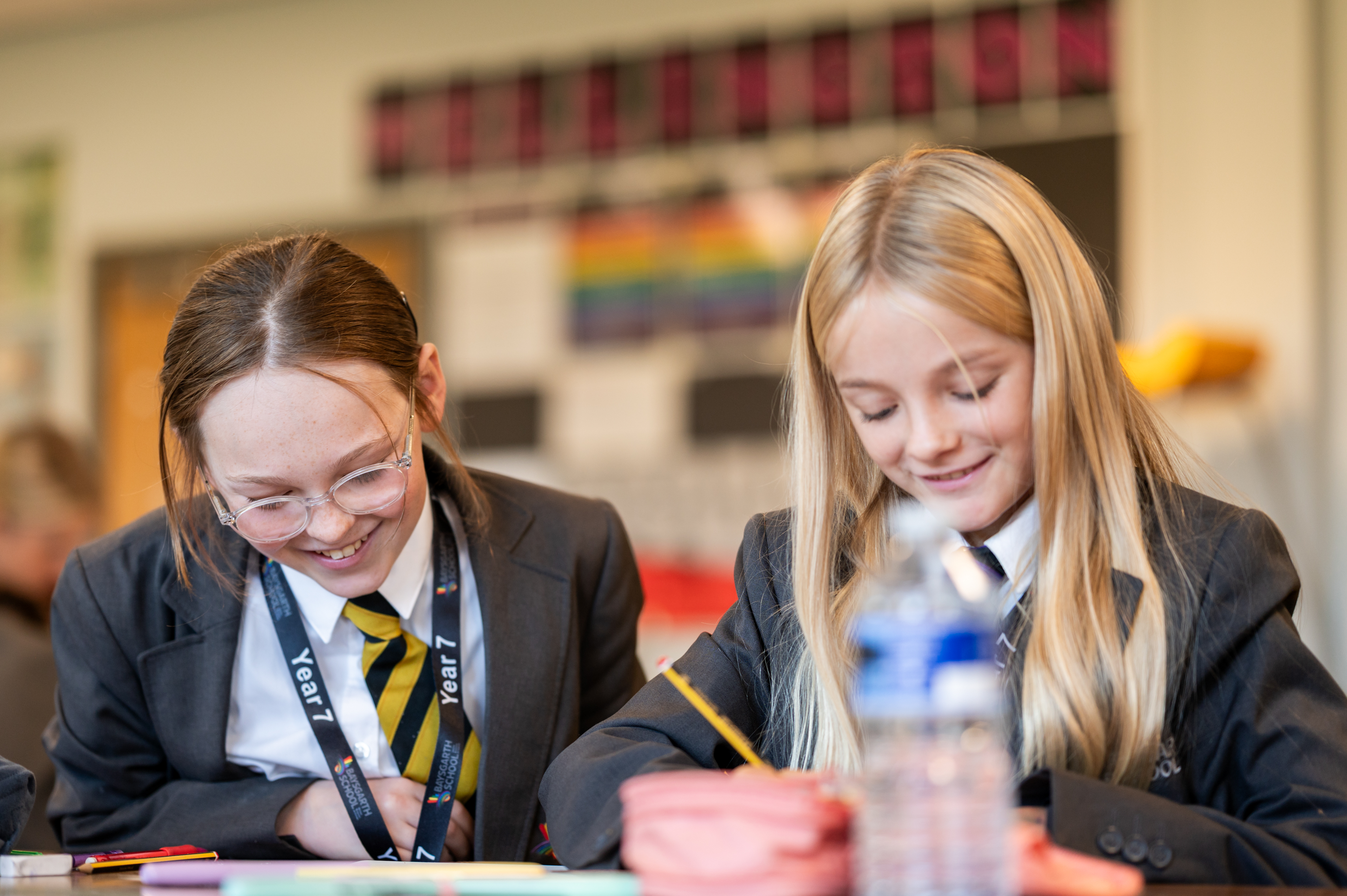
Parental and family communication is vital to a student’s success and we strive to ensure that you can access the right staff member at the right time to support you or your child.
Contacting Staff
Your child’s tutor is always the first point of contact for any general issues about your child. We know that face to face is always the best way to communicate but teaching staff are predominantly in classrooms and can’t do this as often as we would like. Therefore the best way to contact them is actually through email as the majority of staff don't have access to a phone during the day. This is a flexible communication method and will often lead to a much quicker response.
If you wish to discuss academic matters or homework completion, then it is best to go directly to your child’s teacher and have that discussion. Again, contact them directly through the main reception or email.
For pastoral or SEND issues that you feel are not appropriate for the tutor to deal with, then your child’s year team are always on hand to help.
Schools are incredibly busy places and this can mean that sometimes communication is not always immediate, however all staff strive to ensure your communication is acknowledged within 48 hours.
Complaints or Concerns
In the unfortunate event that you have a complaint or concern you need to raise with the school, please contact Mrs Railton, Headteacher’s PA who will be able to support you.
Keeping in Touch
Each week there is a powerpoint of all the notices and key events happening in school which is shared with every tutor group. As parents you can access this on the home page to make sure you stay up to date with all that's happening in school.
Parental Apps
Arbor
The Arbor Parent App is the primary communication tool between the school and parents and carers. The Arbor Parent App is a mobile application that can be accessed via any smartphone, tablet or computer.
Arbor allows the school to communicate a wide range of information to you, including attendance, behaviour, timetables, exams and give you the ability to update your contact details and view school reports.
Download the app from Apple App Store or Google Play.
For more information on how to use the app, please refer to the below guides:

Forgotten passwords can be reset here, but if parents have any technical issues, please contact the main reception on 01652 632576 or email the school via admin.baysgarth@baysgarthschool.co.uk.
Edulink
Edulink is an easy to use parent app, which we have used in the past prior to the move to Arbor.
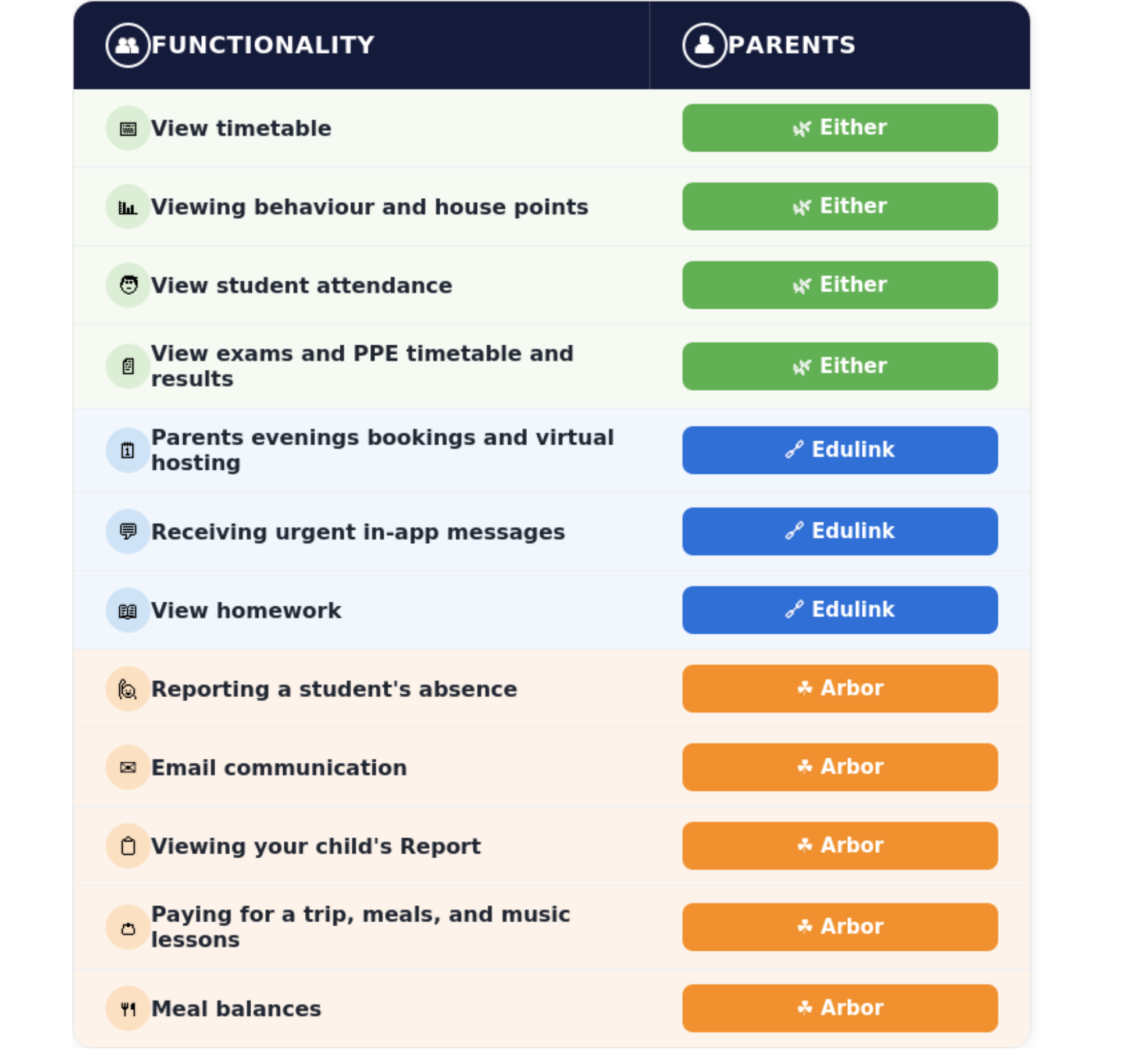
There are different functionalities in each app, and you can find attached an image that shows what you can do on which app. Edulink is not replacing Arbor, rather it gives parents another way of finding out useful information about their child at Baysgarth.

Edulink is our main way of booking parents evening slots, so all parents are encouraged to download and log onto the app:
Forgotten passwords for Edulink can be reset here.
Edulink vs Arbor:
Student Reports
At Baysgarth, our student reporting system gives parents and carers a clear, continuous view of their child’s progress, engagement, and development from Year 7 through to Year 11.
In Year 7, students receive a settling-in report at the start of the year featuring subject effort scores, core pastoral data (attendance, house points, and behaviour points), and an academic flight path outlining their expected progress journey, followed by an end of year report that updates this information alongside academic progress in English and Maths. In Year 8, students receive an end of year report following the same format, measuring academic progress across English, Maths, and Science.
In Year 9, reporting shifts to focus on Key Stage 4 preparation: a mid year gateway report evaluates the key subject knowledge and broader employability skills developed in their chosen options, followed by an end of year report providing initial target predictions for the end of Year 11 alongside updated effort and pastoral data.
Throughout Years 10 and 11, reports are issued at regular intervals to maintain close tracking during Key Stage 4. These updates report on attendance, behaviour, effort scores, and updated Year 11 predicted grades, with the end of Year 10 report and subsequent Year 11 reports integrating results from Pre-Public Examinations (PPEs/mock exams) to ensure students and families know exactly where to focus leading up to final GCSE examinations.
We want to ensure that all contact with parents is clear and that we can work in partnership in order for students at Baysgarth to reach their full potential.
Parents Evenings
Parents’ evenings are a great way to build relationships with staff and strengthen the home school partnership. Ensuring your child is fulfilling their potential and is happy at school needs both staff and parental support, so these evenings are so important and we expect all our parents to attend where possible.
We have listened to parental feedback about the preference for face to face meetings and analysed the attendance now we have much bigger year groups. We want to make sure parents and carers have a useful experience but we also want to maximise the number of parents who can attend; there is nothing more frustrating than not being able to get an appointment!
Therefore we will have 2 different approaches to parents’ evenings:
- KS3 Parents’ Evenings will be hosted by your child’s tutor. This will ensure you have 3 opportunities to spend some quality time with the person who is your child’s champion in school.
The meetings will focus on your child holistically, talking about not just academic performance and effort, but also attendance, behaviour, participation in activities, leadership potential, reading ability, and their culture passport. This will hopefully give parents a much clearer insight into what it is like for your child at school on a daily basis.
- KS4 Parent’s Evenings will remain focused on academic performance as the students are studying for their GCSEs. These will be online as we can then increase the number of appointments by 30% as we want to be able to communicate with every parent.
For those parents who do want to meet specific teachers in person, we would encourage you to contact them directly and organise this as the staff would be more than happy to accommodate this.
Key Information Evenings
As parents there is always so much information to understand about secondary schools and how to support your child. At key points there is an opportunity to come into school and to meet with senior staff and get the key information for your child at the right time. Examples are:
Year 7 : Working Together
This evening is designed to introduce new parents to the school's systems and processes as well as ensuring an opportunity to meet all the senior team.
Parents are given practical information about homework and reading and how they can support their child.
Year 8: Options
This is a big decision for students and parents and we want to make sure that you have all the right information and an opportunity to discuss any questions or worries with key staff.
Parents are given practical information about the options process, including the timeline of activities to support their child and links to relevant websites and information on the option courses themselves. In addition for some students they will have a 1-1 interview to ensure they receive the right advice in tailoring their KS4 programme.
Year 11: Revisewise
Students coming into their last year with us, will find the workload and the pressure increasing. We want to make sure that as school and parents we are working together to ensure our students remain focused and motivated, but also happy and healthy.
Parents are given practical information on the best way to support revision and manage their child’s workload as well as an opportunity to experience the key revision tools and platforms that their child is using. Parents also get to meet the leaders of core subjects who are available to answer any questions.